

Stackryze Domains supports four namespaces —
indevs.in, sryze.cc, ryzedns.org, and nx.kg. The examples below use yourname.indevs.in; substitute whichever namespace you registered under.Stackryze Domains is currently in beta and updated daily. If you find an issue, report it via the support channels at the bottom of this page.
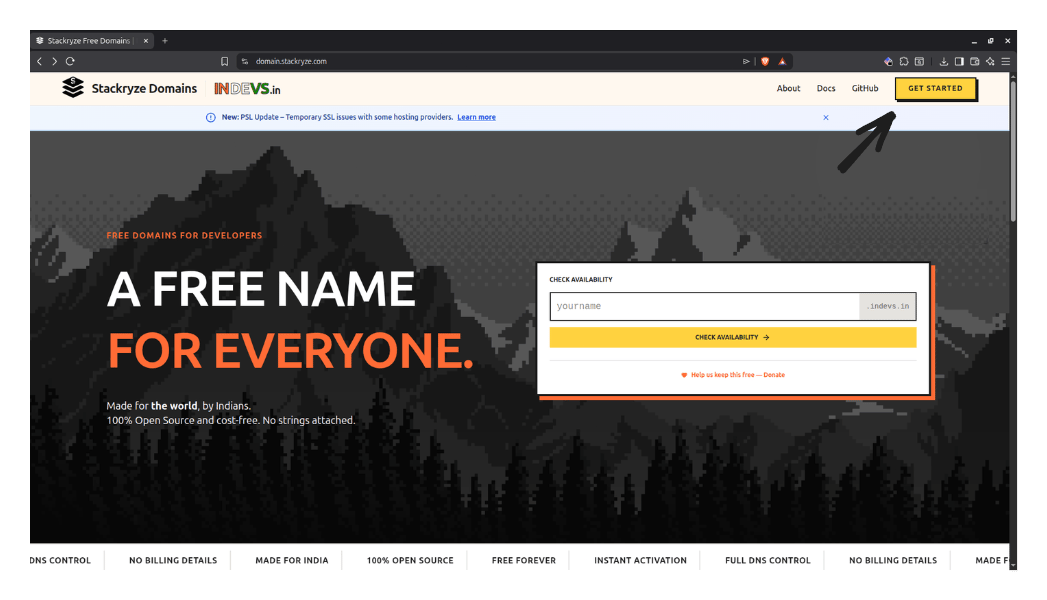
Step 1 — Visit the registration site
- Go to domain.stackryze.com.
- Click Get Started in the top right.
Step 2 — Create an account
Option A: Email and password (recommended)
- Click Get Started or Register.
- Enter your Name, Email, and a secure Password.
- Complete the Cloudflare Turnstile check.
- Click Create Account.
- We email you a six-digit verification code. Enter it to confirm.
Option B: GitHub
If you already have an account:- Click Login.
- Select the GitHub tab.
- Authenticate with GitHub.
Account protection
- Email verification is required for every new account.
- After five failed login attempts, the account is locked for 30 minutes.
- Passwords must be at least eight characters.
Step 3 — Open the Register Domain screen
After logging in, click Register Domain in the sidebar.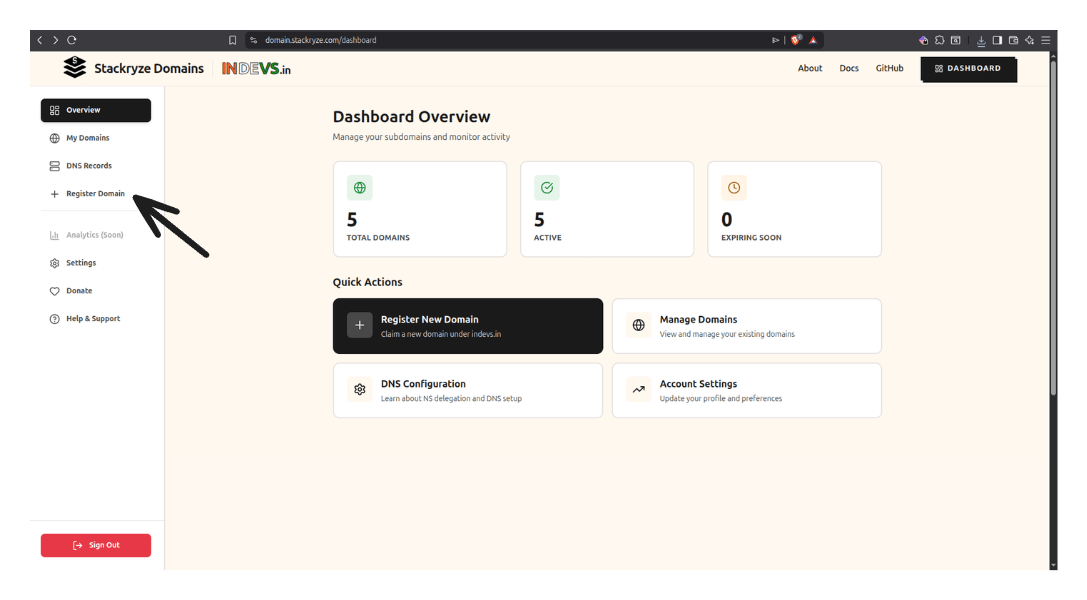
Step 4 — Complete the registration form
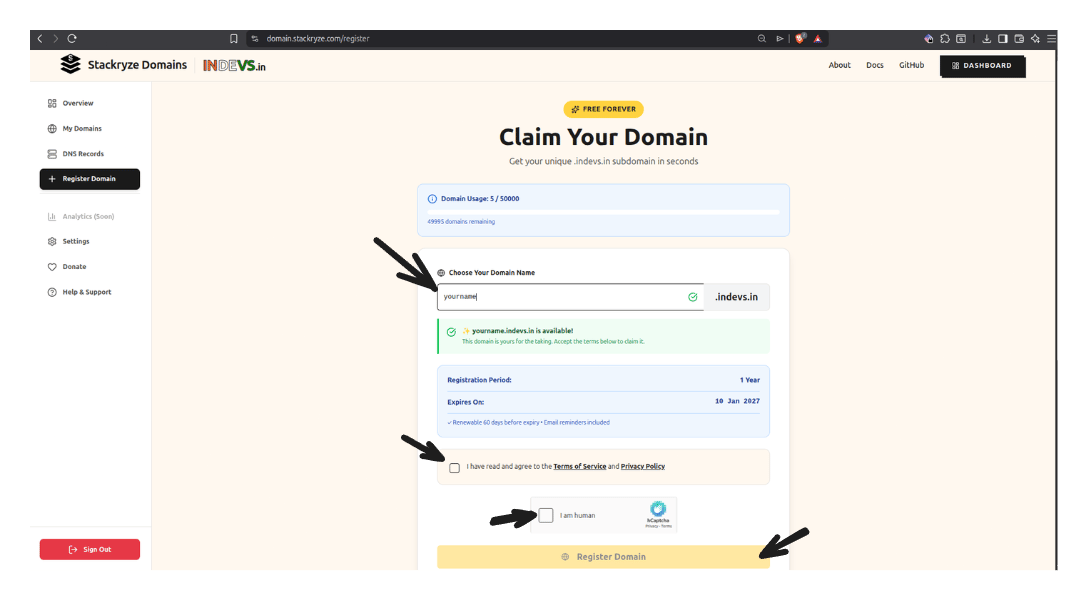
1. Enter your subdomain name
Type your desired subdomain in the input field. Rules:- Length: 3–63 characters.
- Characters: lowercase letters, numbers, and hyphens only.
- Format: cannot start or end with a hyphen.
- ✅
myproject→myproject.indevs.in - ✅
john-portfolio→john-portfolio.indevs.in - ❌
ab(too short) - ❌
-myproject(starts with a hyphen)
2. Check availability
The system checks availability as you type:- 🟢 Green checkmark — available.
- 🔴 Red X — taken or invalid.
3. Accept the terms
Check the box to accept the Terms of Service and Privacy Policy.4. Complete the CAPTCHA
Complete the hCaptcha to prove you’re human.5. Click Register Domain
Click Register Domain to complete registration. What happens next:- ✅ Your domain is registered immediately.
- ✅ Default nameservers (
ns1.stackryze.com,ns2.stackryze.com) are assigned. - ✅ Domain is valid for one year.
- ✅ You see a success message.
Step 5 — You’re done
Your domain is now active. From here:- View it at My Domains.
- Set up DNS records with your preferred provider — start with the Cloudflare guide.
- Learn how to manage your domain.
Domain limits
You can register up to five domains by default. Subdomain names must be 3–63 characters long.Managing domains
See the full quotas and how to request a limit increase.
Need help?
- Troubleshooting — common errors and fixes.
- Discord Community — fastest support.
- Email Support.
- GitHub Issues — bug reports.