

Accessing your domains
- Sign in at domain.stackryze.com.
- Click My Domains in the sidebar.
Domain overview
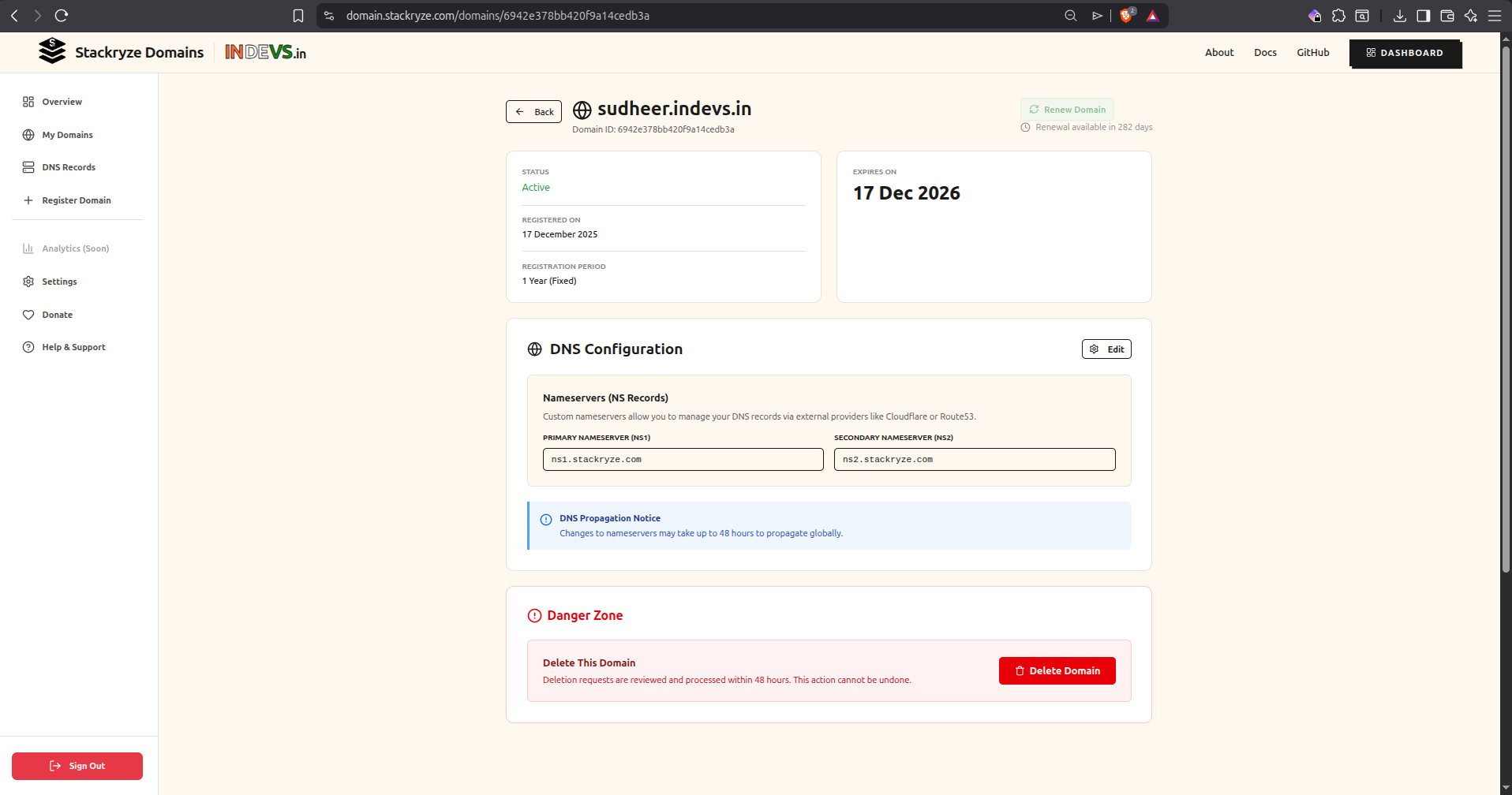
Each domain shows:- Domain name — your subdomain (for example
yourname.indevs.in,yourname.sryze.cc,yourname.ryzedns.org, oryourname.nx.kg). - Status — Active, Expiring Soon, or Expired.
- Registered on — registration date.
- Expiry date — when the domain expires.
- Registration period — current validity (one year, fixed).
- DNS configuration — current nameservers.
Updating nameservers
Every Stackryze Domain keeps the two Stackryze nameservers in the zone (ns1.stackryze.com and ns2.stackryze.com) and supports up to 4 additional custom nameservers for redundancy or to point at a third-party provider alongside Stackryze. The maximum number of NS records per domain is 6 — 2 Stackryze (mandatory) plus 4 custom (optional).
To add a third-party provider:
1
Set up the new provider
Create the zone at your new provider first. See the DNS providers list for step-by-step guides.
2
Open DNS Configuration in the dashboard
Go to My Domains and click Manage on your domain. Scroll to DNS Configuration → Custom nameservers and click Add.
3
Enter the provider's hostnames
Add up to 4 authoritative hostnames:
- Custom 1:
ns1.example.com - Custom 2:
ns2.example.com
4
Save
Click Save. The 2 Stackryze nameservers stay in place alongside your additions.
DNS changes propagate in 5–10 minutes, but can take up to 48 hours globally.
Verify propagation
Renewing domains
Domains are valid for one year from registration.When you can renew
- Renewal opens 60 days before expiry.
- Email reminders go out at 60 days and 10 days before expiry.
How to renew
- Go to My Domains.
- Find your domain in the list.
- Click Renew (the green button on the right).
- Confirm.
- Expiry extends by one year.

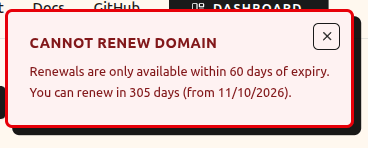
If you click Renew before the 60-day window, you’ll see a message showing when renewal becomes available.
What if you don’t renew?
Deleting domains
If you no longer need a domain, delete it from the Danger Zone.- Scroll to the Danger Zone at the bottom of the domain page.
- Click Delete Domain.
- Confirm.
Cooling-off period
After deletion:- A 7-day cooling-off period begins immediately.
- The name cannot be registered by you or anyone else during this time.
- Deletion is permanent — domains cannot be restored.
Domain status reference
Activity history
Every change to your domains is recorded:- Click History in the sidebar.
- Review the full audit log: registrations, nameserver updates, renewals, deletions, and login events.
Domain limits and quotas
Default limits
- Names per account: up to 4 — one of each namespace (
indevs.in,sryze.cc,ryzedns.org,nx.kg). - Domain length: 3–63 characters
- Nameservers required: at least 2
- Renewal window: 60 days before expiry
- Grace period: 15 days after expiry
- Cooling-off period: 7 days after deletion
Need more domains?
Email support@stackryze.com with:- Your GitHub username.
- The reason for the increase.
- How many domains you need.
Public-suffix behavior
Every registered Stackryze Domain is submitted to the Public Suffix List (PSL), the same list browsers, certificate authorities, and password managers consult to decide where one registrable name ends and the next begins. Once a name is on the list, the boundary is enforced by the consumers — not by Stackryze. What that gives you in practice:- Browsers scope cookies correctly. Chrome, Firefox, Safari, and their derivatives treat
yourname.indevs.inthe same way they treatexample.com— cookies set on the registered label don’t leak to sibling names underindevs.in. - Cross-origin isolation holds. A page on
app.yourname.indevs.incannot read cookies or storage set by a sibling name unless that sibling explicitly opts in. The same boundary exists between any two Stackryze Domains. - Certificate authorities are strict. When you request a TLS cert for
yourname.indevs.in, the CA verifies you control the registered label — exactly as they do foryourname.example.com. A malicious party cannot register a sibling prefix and trick the CA into issuing them a cert that overlaps yours. - Password managers segregate credentials. 1Password, Bitwarden, Chrome’s password store, and others treat each registered Stackryze Domain as its own origin for credential scoping.
Stackryze submits each registered name to the PSL; it is the PSL consumers (browsers, CAs, password managers) that enforce the boundary. Mainstream browsers, certificate authorities, and password managers all consult the PSL.
Common issues
Nameservers not updating
- Wait 5–10 minutes for propagation.
- Clear your DNS cache (
sudo dscacheutil -flushcacheon macOS,ipconfig /flushdnson Windows). - Confirm the nameservers are correct in the dashboard.
- Check DNS Checker.
Domain not resolving
- Verify nameservers in the dashboard.
- Check DNS records in your DNS provider.
- Confirm the zone is configured for your subdomain.
- Wait up to 48 hours for global propagation.
Can’t renew
- Renewal opens 60 days before expiry.
- Check the expiry date on the domain.
- If expired, confirm it is still within the 15-day grace period.
Accidentally deleted
- Wait for the 7-day cooling-off period to complete.
- Re-register the domain once available.
- Deletions are permanent — support cannot restore.
Best practices
Maintenance
- Review your domains monthly.
- Set calendar reminders for renewals.
- Keep your account email current.
- Watch activity history for unexpected changes.
DNS configuration
- Pick a reliable DNS provider. Cloudflare is a good default.
- Configure proper DNS records (A, CNAME, MX, TXT).
- Test your domain after every change.
- Keep a backup of your nameservers.
Security
- Enable two-factor authentication on GitHub.
- Review activity history regularly.
- Never share account credentials.
- Report suspicious activity to security@stackryze.com.